This is the contract for PrestaShop Maintenance and for the Server you can take out with it: what we do in your shop, how your hours are counted, what we need from you, how the price is set, how it renews and how you cancel it. It is a contract between businesses: only for businesses and professionals who sign up for their trade or profession (section 1). We have written it so you can understand it without being a lawyer. Read it before you sign up: when you pay, you tick a box saying you accept it. We send you a PDF copy with the order confirmation, and you can always find it in that order, in your account.
What you have signed up for
The options you take out are ticked in your personalised copy (the one you open when you pay and the one kept in your order), and at the end it has the “Economic summary” with their prices. Each part of the contract applies according to those options.
PrestaShop Maintenance
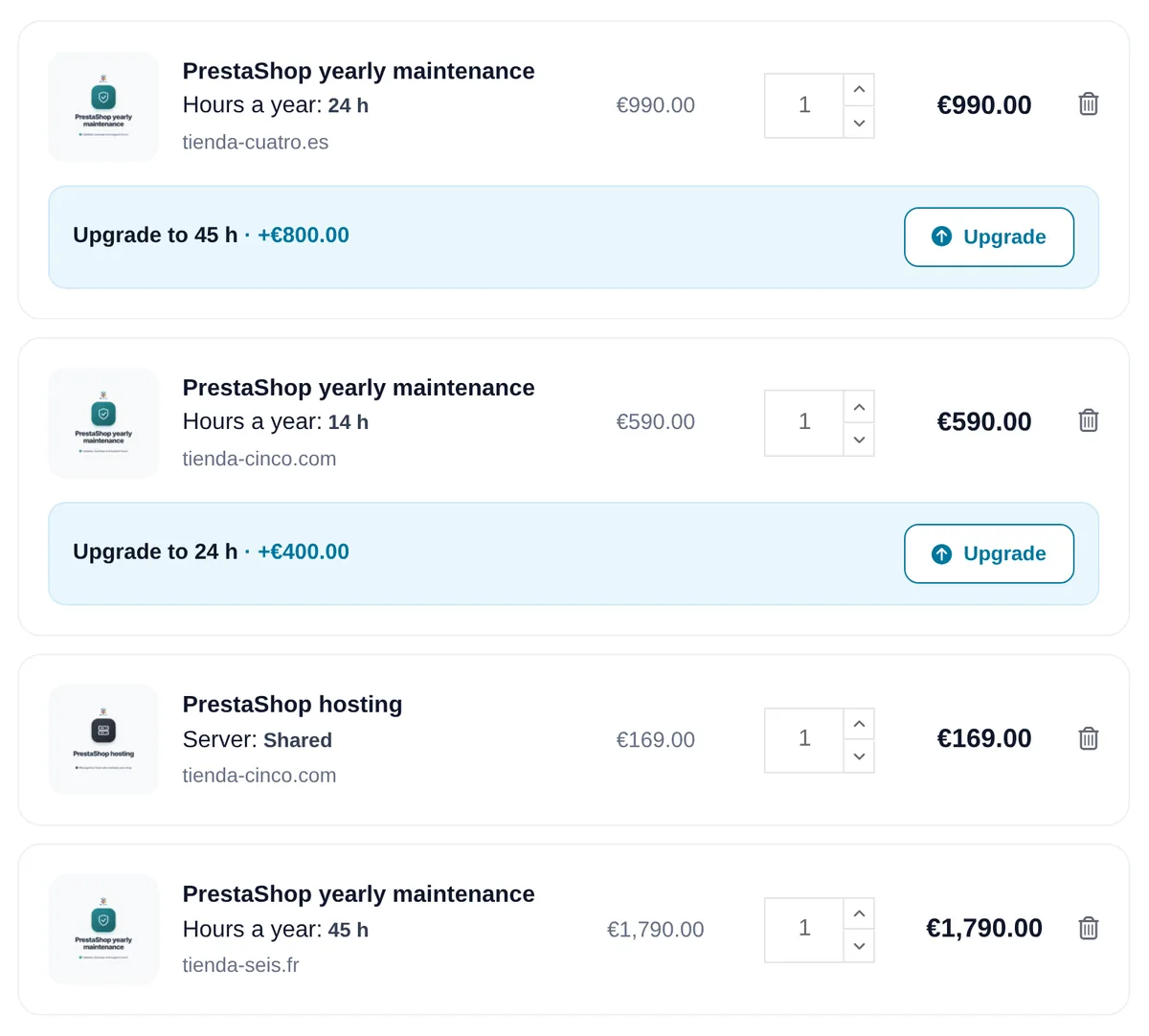
- 14 hours of work a year.
- 24 hours of work a year.
- 45 hours of work a year.
Server
- No BK Modules Server: the Shop stays on your own hosting or server.
- BK Modules Shared Server, with 25 GB of disk space, for shops of up to about 30,000 real visits a month (section 10).
- Dedicated Server: pending proposal. We prepare a written proposal for you with the machine and its price, which is taken out separately if you accept it; until then, the Shop stays on your own hosting or server (section 10).
The price of each service is not in this text, because it depends on what you take out, the currency and the terms of your account: it is the price you see when you pay, before you confirm the order. It appears in the “Economic summary”, at the end of your copy of this contract, and in your order, which only record what you pay: what you pay today, what each renewal costs and its date, the currency, taxes and discounts, if any. Each renewal is charged at that renewal price, with the notices and price changes of section 14. The Dedicated Server has the price of its proposal. If your country requires you to declare a tax on this purchase, that declaration is your responsibility.
Who the parties to this contract are
On one side, BK Modules LLC, trading under the name BK Modules: a limited liability company formed in the State of New Mexico (United States), with its address at 102 Gold Ave SW, Albuquerque, NM 87102, United States, and US Employer Identification Number (EIN) 35-2838640. Email: bkmodules@bkmodules.com. Phone: +1 (813) 214-0078. In this contract, “we” or “us”.
On the other, the business or professional that signs up with their bkmodules.com account. In this contract, “you”. If you sign up on behalf of a business or one of your clients, you confirm that you are authorised to do so and that the business or client is bound by this contract.
Only for businesses and professionals
This contract is only for businesses and professionals who sign up for the maintenance and the Server for their trade, business or profession. By signing up, you declare that this is your case. Consumer protection legislation does not apply, and there is no right of withdrawal.
What this contract governs
PrestaShop Maintenance is an annual Subscription to maintain a PrestaShop shop, with a set number of working hours per year. The Server is a separate, optional annual Subscription to host that shop on a machine of ours. This contract governs both. For anything it does not cover, the bkmodules.com general terms and conditions of sale apply. If the two say different things about the maintenance or the Server, this contract prevails.
Words we use
- Shop: the PrestaShop shop you state when you sign up, with its domain, and a test environment of it that does not process real orders (for example, staging). Each maintenance plan covers a single Shop.
- Period: each year of a Subscription. The first starts on the day your payment is confirmed; the following ones, on the day of each renewal.
- Hours: the working time you are entitled to in each Period, according to the maintenance level you have signed up for.
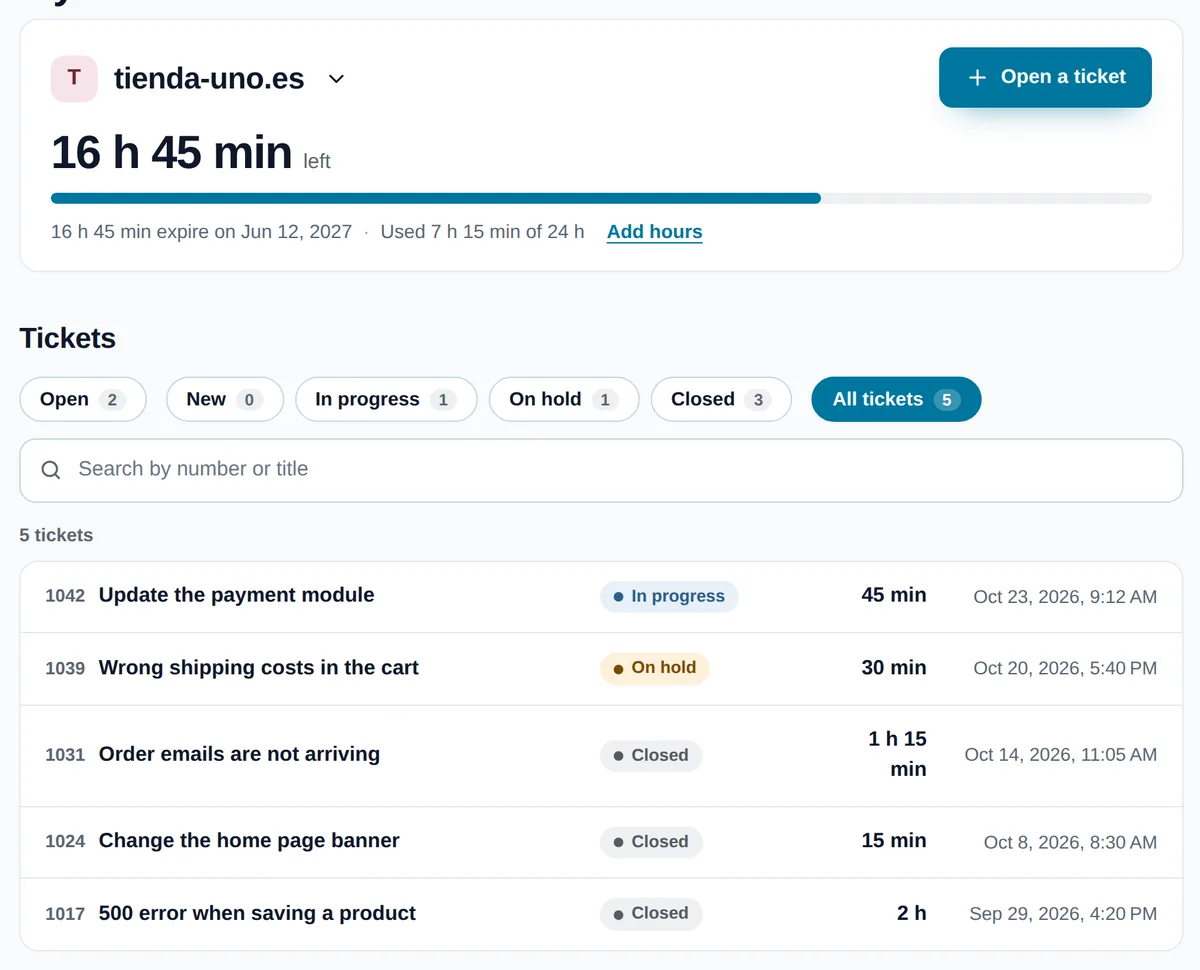
- Request: each thing you ask us to do. It is opened as a ticket in “My maintenance”, where you can see its replies, its attachments and the time spent on it.
- Server: the BK Modules Shared Server or Dedicated Server, if you have signed up for one. The Dedicated Server is taken out when you accept its proposal (section 10).
- Access Credentials: the usernames, passwords, keys and connection details you give us to work on the Shop and its server.
What we need to work: your Access Credentials
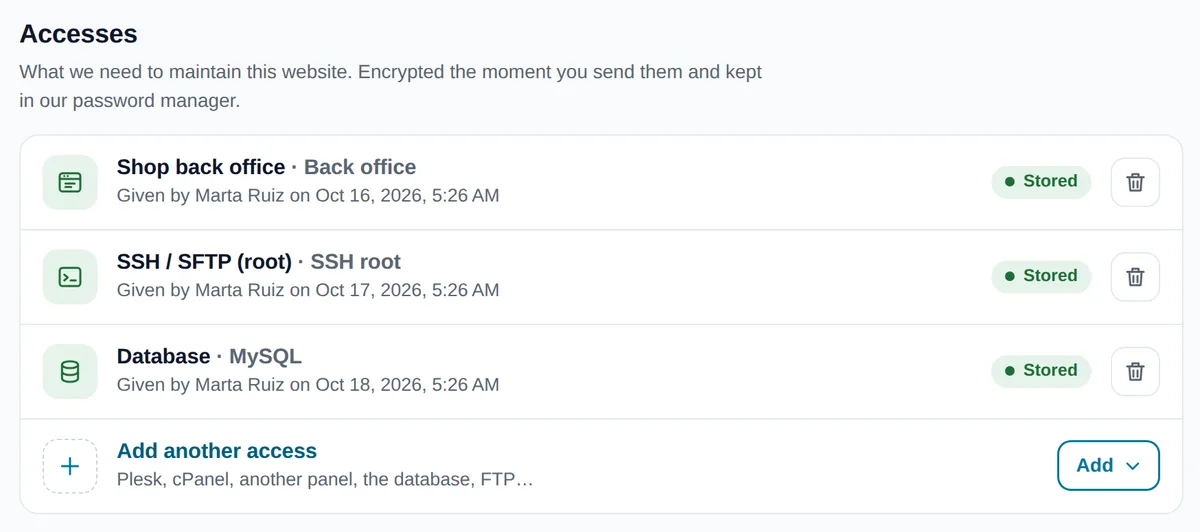
To manage the Shop we need two kinds of access: access to the PrestaShop back office with an administrator profile, and SSH access to the server as the root user. If the Shop is on your own hosting or server, giving us both is mandatory. If it is on a BK Modules Server, the server is already ours and we only need access to the back office. With the Dedicated Server pending proposal, the Shop stays on your server and we need both. You give them to us in “My maintenance” when you sign up.
With them we read the error logs, test updates before applying them, fix whatever fails in the files and in the database, and bring the Shop back up if it goes down. If a job needs your hosting panel (for example, Plesk or cPanel) or another service, we ask you for it and you give it to us in “My maintenance” as well.
If you do not give us the Access Credentials or you withdraw them
- We do whatever can be done with the access we have, and we tell you what we cannot do and which access is missing.
- We are not liable for anything we have been unable to do because access was missing, or for any delay this causes: a fault we cannot fix, an update we cannot test or an outage we cannot bring back up.
- The first response comes within the time in section 8, but the work waits until we have what we need.
- The contract remains in force and the Period keeps running. Missing access does not entitle you to a refund of the Period or the Hours.
- If you change a password or withdraw access, update it in “My maintenance”. Until you do, the above applies.
How we keep your Access Credentials
- Encrypted, in a password manager. Never in emails, tickets or documents.
- They are used only by the people working on your Shop, who are bound by confidentiality, and only for this contract.
- We do not give them to anyone, unless a law or a court requires us to. In that case, if we are allowed to, we let you know.
- While the contract lasts, only you can delete them, from “My maintenance”. We keep them so that we can help you whenever you need it.
- When the contract ends, we delete them. If we installed an SSH key of our own on your server, we remove it at the end, as long as we still have access. Even so, we recommend that you change the passwords you gave us.
- If we suspect that someone may have learned your Access Credentials without permission, we let you know without delay so you can change them.
What the maintenance includes
- Fixing faults in the Shop: whatever stops working or works incorrectly in PrestaShop, its modules or the theme.
- Small adjustments and changes to what already exists: the configuration of PrestaShop and its modules, and texts, styles and positions in the theme.
- Updating modules that have not been modified, when their developer releases a version compatible with the Shop's PrestaShop and PHP versions and the Shop is entitled to it. We test updates before applying them.
- Your Shop monitored: if it goes down, we bring it back up. We check automatically and continuously that the Shop is responding. If it stops responding, we let you know and start bringing it back up within the first response time in section 8.
- With a BK Modules Server, the server too: the PHP version and configuration, operating system security updates, email, certificates and the web server (section 10).
All this work is deducted from your Hours, including bringing the Shop back up after an outage, except what section 10 includes in the price of the Server.
What “we bring it back up” means
We start working on the outage within that time and do everything reasonable to get the Shop responding again. We do not promise a maximum downtime or an availability percentage. If the cause is beyond our reach —a fault at your hosting provider, an expired domain, your DNS or a third-party service—, we tell you what is happening and what you need to do or ask for, and we help as far as we can from our side.
What the maintenance does not include
- Updating PrestaShop, whether to another version or to a patch of the same version.
- Updating the theme, whether the main theme or the child theme.
- Updating modified modules, and buying licences or renewals for third-party modules.
- Without a BK Modules Server: the server, PHP, email and certificates of your hosting.
- The hosting itself, which is the Server, a separate Subscription. Nor the domain or its DNS.
- The day-to-day running of the Shop: products, prices, stock, orders, returns, customers, promotions, shipping, content and customer service.
- Marketing, SEO, campaigns, analytics, copywriting, photography and design.
- Custom development: new features, modules or integrations, and redesigns.
- Migrations from another platform or version, changes of hosting (except the move to a BK Modules Server in section 10) and training.
Requests outside what is included
Anything not included is not done with the Hours: we assess it, quote for it separately and you decide. Studying the Request and preparing the proposal may use Hours; if so, we tell you beforehand. If you accept the proposal, those Hours go back to your balance; if not, they count as used.
How Hours are counted
- The actual working time spent on each Request is deducted, in 15-minute increments: each piece of work counts as at least 15 minutes, and anything beyond that is rounded up to the next increment.
- The time spent on each Request and the Hours you have left are always shown in “My maintenance”. If you disagree with the time recorded for a Request, tell us within the following 30 days and we will review it with you.
- Hours belong to each Period: any you do not use expire at the end of the Period, do not carry over to the next one and are not refunded.
- They belong to the contracted Shop: they cannot be moved to another shop or another customer. If you have several shops, each one has its own maintenance.
- If they run out, you can move to a level with more Hours, or additional work is invoiced as a Technical support hour, at the price it has on bkmodules.com when you ask for it. In both cases, we tell you beforehand what it costs and wait for your approval.
How you ask us for work and when we respond
- Each Request is opened as a ticket in “My maintenance”. Tell us what is happening, where you see it and, if you can, attach a screenshot.
- First response in under 12 hours, 7 days a week, counted from when you open the Request or from when monitoring detects an outage. The first response comes from a person who has read your Request and tells you what is happening or what the next step is. It is not the time by which it will be resolved.
- How long a solution takes depends on what it is. If it is going to take time, we give you an estimate. We deal first with outages and faults that prevent you from selling.
- If a change may affect the live Shop, we explain it to you beforehand and wait for your approval.
Backups
- Daily backups are not part of the maintenance: they come with the hosting.
- With a BK Modules Server, the backups are those in section 10.
- If the Shop is on your own hosting or server, backups are up to you or your provider. Before a delicate job we may ask you to confirm that there is a recent backup.
- When a job makes it advisable, we first copy what we are going to work on. That copy is for undoing the change; it does not replace backups.
The BK Modules Server
This section applies only if you have signed up for a Server. The Server is an annual Subscription separate from the maintenance, with its own price, for the Shop covered by the maintenance. It renews and is cancelled under the rules in sections 14 and 15.
We move your Shop to our Server
When you sign up for the Server, we move the Shop from your current hosting to our Server. The move is included in the price of the Server and is not deducted from your Hours. To do it, we need access to your current hosting (SSH or the panel, and the database), and you need to change the domain's DNS when we tell you, or give us access to do it ourselves. We agree the time of the switch with you so that the Shop keeps selling.
What the Server always includes
- Hosting the Shop and its test environment, with the resources of your type of Server.
- Keeping the system running and up to date: operating system security updates, PHP in a supported version compatible with your Shop, the web server and the SSL certificates for your domains.
- Daily backups of the Shop's files and database, stored outside the Server for 30 days.
- Monitoring that the Server is responding.
Work you ask us to do on the Server —changing the PHP version, adjusting its configuration, creating email accounts or restoring a backup— is deducted from your Hours, or invoiced as a Technical support hour if you do not have active maintenance.
It does not include the domain, its registration or its renewal, or bulk email or campaign sending.
Shared Server: space and visits
Several shops run side by side on the Shared Server, and we tune it so that they all work well. Your Shop has 25 GB of disk space, including the images, cache, logs and backups the Shop itself keeps.
It is designed for shops of up to about 30,000 real visits a month. We count visits by people, without bots, from the Server logs. A shop that goes beyond that on a sustained basis needs a machine of its own: the Dedicated Server.
If the Shop goes beyond the space or the visits
- If the Shop goes beyond 25 GB, or beyond about 30,000 real visits a month for two months in a row, we tell you by email with the data and, if we know it, the cause.
- From that notice we have 30 days to decide together: reduce the space or the usage (we can help you with your Hours), move to the Dedicated Server or a custom plan, which we quote for you. We change nothing without your approval.
- In the meantime, the Shop keeps working. If its usage harms the other shops, we may limit it: for example, slow down bots, stop accepting new files or pause scheduled tasks. We never delete your data.
- If after 30 days the Shop is still above them and we have not reached an agreement, we may end the Shared Server with another 30 days' notice, so that you can move the Shop. We refund the part of the Server Period after that date and give you a complete copy of the Shop.
- If something in the Shop puts the Server at risk —an attack, a bot overloading it, a runaway process or malicious code—, we may stop it immediately. We let you know as soon as we do and tell you what happened.
Dedicated Server
The Dedicated Server is a machine just for your Shop, managed by us, and it is taken out separately, with a written proposal that we send you with the machine, what it includes and its price. If you choose it when you sign up for the maintenance, the maintenance starts as soon as payment is confirmed and we prepare the proposal for you. Until you accept it and the Shop has been moved, the Shop stays on your own hosting or server, there is no Server taken out and what this contract says for those without a BK Modules Server applies: we need the Access Credentials in section 4, the back office and root SSH. When you accept the proposal, the Dedicated Server is an annual Subscription at the price of the proposal, with the rules of this section and of sections 14 and 15.
We size it to what the Shop needs and enlarge it as it grows. If an enlargement changes the price of your Server, we propose the new price before making it, and we only make it if you accept.
Proper use of the Server
The Server is for the Shop and its test environment. You may not host other websites or services on it, or use it to send unsolicited email, store illegal content or attack other systems. If you do, we may suspend whatever is in breach after notifying you, unless the seriousness of the matter requires us to act immediately.
When the Server ends
Before it ends, you can download a complete copy of the Shop or ask us for one. We keep your data for 30 days after the end, in case you need it; after that, we delete it from the Server and from the backups. If you want us to move the Shop to another hosting, that is a change of hosting and is quoted for separately.
If you cancel the maintenance and keep the Server, the Server continues with what it always includes until the end of its Period. If you cancel the Server and keep the maintenance, when the Server ends the Shop moves to your own hosting and we need the Access Credentials in section 4.
Your obligations
- To give us the Access Credentials in section 4 and keep them up to date.
- To have backups of the Shop and its database if it is on your own hosting or server (section 9).
- Not to change, or let others change, what we have worked on without telling us. If another person or company is also working on the Shop or the server, let us know.
- To have the right to use what is in the Shop: the theme, the modules and their licences, and the content.
- To answer our questions so that we can move forward with a Request.
- To use the service and the Server for lawful purposes, without asking us for anything that is against the law or the rights of others.
Confidentiality and personal data
Everything we see of your business while working on the Shop or hosting it —data, sales, configuration, code, documents— is confidential. We use it only for this contract, we do not disclose it to anyone, and we continue to keep it confidential after the contract ends. This does not apply to anything that is already public or that a law or a court requires us to disclose.
How we process your data is set out in the privacy policy.
When working on the Shop, and when hosting it if you have a Server, we process personal data of your customers. For that data, you are the controller and we are your processor, with the commitments in the section “Your customers' data when we work on your shop” of the general terms and conditions, which form part of this contract: to process it only for this work and in accordance with your instructions, with confidentiality and appropriate security measures; to tell you without delay of any breach; not to engage other processors without informing you first; to help you respond to your customers' requests to exercise their rights; and to delete whatever we hold at the end. As we are in the United States, access to that data takes place with the safeguards the European Union recognises for these cases, described in the privacy policy.
Liability
We work on your Shop with the diligence and expertise of a professional. We undertake to do the work well, not to achieve a result that depends on things we do not control.
- We are not liable for indirect loss, such as loss of profit, loss of sales, customers or data, or interruption of your business.
- We are not liable for anything caused by your hosting provider, by third-party modules, themes and services, by changes made by others to the Shop or the server, by missing Access Credentials or backups, or for anything we do following your instructions.
- Our total liability under this contract does not exceed what you paid us under it in the 12 months before the claim.
Nothing in this section limits our liability for wilful misconduct or gross negligence, or any liability that cannot be limited by law.
We are not liable for delays or outages caused by events beyond our reasonable control, such as widespread internet or power grid outages, or outages of payment gateways or of the third-party services we depend on.
Term and automatic renewal
- Each Subscription —the maintenance and, if you have signed up for it, the Server— starts on the day your payment is confirmed and lasts for a Period of one year.
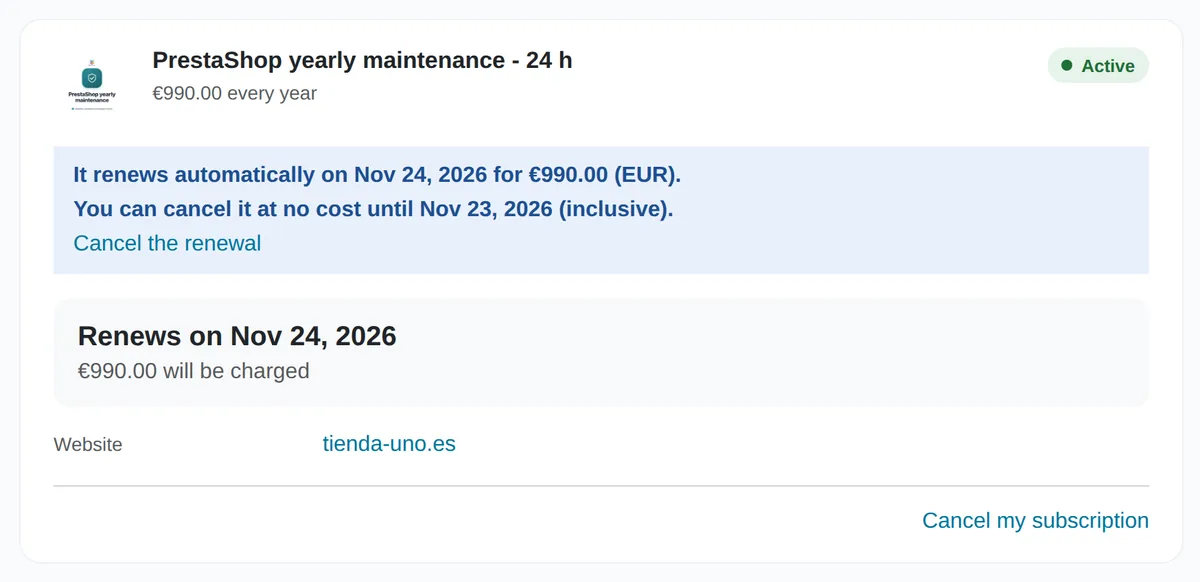
- At the end of each Period, it renews automatically for another year and its renewal price is charged to the payment method you saved when you signed up. The renewal price is the one shown to you when you signed up, and it appears in the “Economic summary” of your copy and in your order; it only changes with the notice under “Price changes”, below. You can change the payment method in “My subscriptions”.
- Each renewal generates an order with its invoice in your account. The date and amount of the next renewal are always shown in “My subscriptions”.
- If a payment fails, we retry it and let you know so you can update your payment method. The new Period does not start until it is paid; if it is not paid, that Subscription ends at the end of the last paid Period.
We notify you before each renewal
We send you two notices, by email to your account address and in “My subscriptions”: the first, 35 days before the renewal; the second, 20 days before. Both state the renewal date, the amount that will be charged, the deadline for cancelling and how to do it.
Price changes
We may change the renewal price. We tell you by email at least 30 days before the renewal at which it applies, in the first notice, and remind you in the second. If you do not accept it, cancel before the renewal and you will not be charged.
How to cancel
- You can cancel each Subscription whenever you like from “My subscriptions”, with the cancel button and without giving any reason. You can also ask us by email at bkmodules@bkmodules.com.
- To stop it from renewing, cancel before the renewal date. The deadline is shown in “My subscriptions” and in the notices.
- The cancellation takes effect at the end of the paid Period: until then you keep everything you signed up for, including your Hours, and it no longer renews. Until that date, you can undo it with “Keep it”.
- We confirm the cancellation by email, with the date on which the Subscription ends.
Periods already charged
A charged Period is not refunded, in whole or in part: not even if you cancel after the charge, if you did not use the service or if you did not use up the Hours, except in the cases in section 10 and in “When we end it” below.
When we end it
- We may decide not to renew a Subscription if we notify you at least 30 days before the renewal. Until the end of the paid Period, we continue to provide it as normal.
- We may end the contract early if you breach something important —for example, if you ask us for something unlawful or use the Access Credentials, the service or the Server to harm others—, after notifying you and giving you a reasonable time to put it right, unless the seriousness of the matter requires us to act immediately.
- If we end a Subscription early without you having breached anything, we refund the remaining part of the Period.
What happens at the end
Any remaining Hours expire. We delete your Access Credentials as set out in section 4, and any working copies of the Shop we hold. The history of your Requests stays in your account for the time stated in the privacy policy. If you had a Server, section 10 applies.
Electronic communications
You agree that this contract, the renewal notices and all other communications about your Subscriptions will reach you electronically: by email to your account address and in your bkmodules.com account. To receive them, all you need is a web browser, an email program and the ability to open a PDF. You can ask us for a free paper copy of any of them. Keep your email address up to date: notices we send to it count as delivered.
Changes to this contract
We may update this contract. Each version has its own number and its date of entry into force. Your current Period is governed by the version you accepted. If a new version changes something important, we send it to you by email at least 30 days before the renewal at which it applies, and you can cancel beforehand if you do not agree.
Governing law and jurisdiction
This contract is governed by the laws of the State of New Mexico and by the applicable federal laws of the United States.
Any dispute is settled by the state or federal courts located in Bernalillo County (Albuquerque, New Mexico).
BK Modules LLC · 102 Gold Ave SW, Albuquerque, NM 87102, United States · bkmodules@bkmodules.com · +1 (813) 214-0078